
Deployment and operations
Runs where you decide.
EduzOS is on-premises-first. This is what your operator works with today, from the first check to routine backups.

Operator tool
One tool for the operator.
Real lmsctl commands, with the arguments they need.
lmsctl preflight --host <name>lmsctl install --host <name> --version <x.y.z>lmsctl doctorlmsctl statuslmsctl backuplmsctl restore --verify <bundle dir>lmsctl upgrade --to <x.y.z>lmsctl licence showlmsctl support-bundle
A command reference, not a recording. Output is not shown.
Lifecycle
From bare server to routine backup.
Five moments in the life of an installation, each with the tool your operator uses.
Before install
lmsctl preflight --host <name> checks the server. Deployment files cover production Compose and a Helm chart.
Uses: lmsctl preflight, deployment files.
Install
lmsctl install --host <name> --version <x.y.z> sets up the platform with nginx, pgbouncer, Vault and ClamAV from the deployment files.
Uses: lmsctl install.
First day
An administrator signs in and follows the setup wizard: institution, brand, academic year, people, fees and messages, then go-live.
Uses: Setup wizard.
Backups
Your operator takes encrypted backups on your schedule, and a bundle can be checked with lmsctl restore --verify <bundle dir> before a restore.
Uses: lmsctl backup, lmsctl restore.
New release
lmsctl upgrade --to <x.y.z> moves the installation to a newer release. lmsctl doctor and status tell you how it is running.
Uses: lmsctl upgrade, doctor, status.
First day
Then a guided setup.
After install, an administrator follows the setup wizard and can stop and resume at any step.
The setup wizard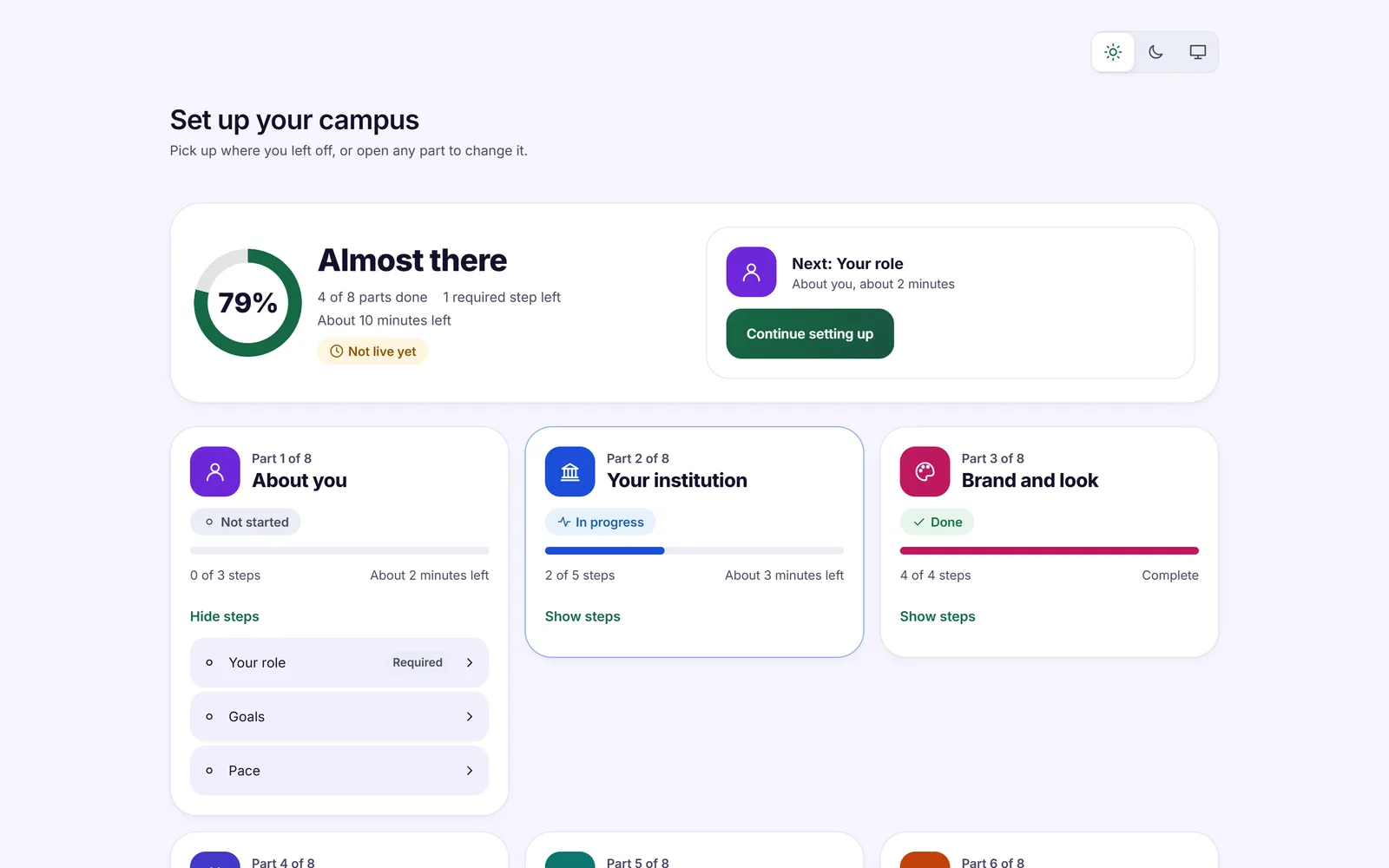
For your IT lead
The facts an IT lead asks for.
01
Stack
Postgres 17, NestJS 11 and Node 22.
02
Licence
One signed licence per school, checked offline, with a 30-day trial on a new install.
03
Tenants
One installation can serve more than one institution, each isolated by row level security.
04
Optional services
SMS and push each need a provider that your institution or operator configures.
05
Modes for your hardware
Host profiles (lite, standard, large) set service tuning for your server, and a Lite mode removes blur and motion on older user devices.
06
Support
lmsctl support-bundle collects a bundle for troubleshooting. Support terms are agreed in your contract.
Plan your deployment with us.
Share your infrastructure and IT capacity and we will talk through what running EduzOS involves.